Overview
In this article, we will review password maintenance - specifically, we will review how to reset, or update, your current password.
Steps for Updating your Password
Step 1: Successfully log into the Aline Suite.

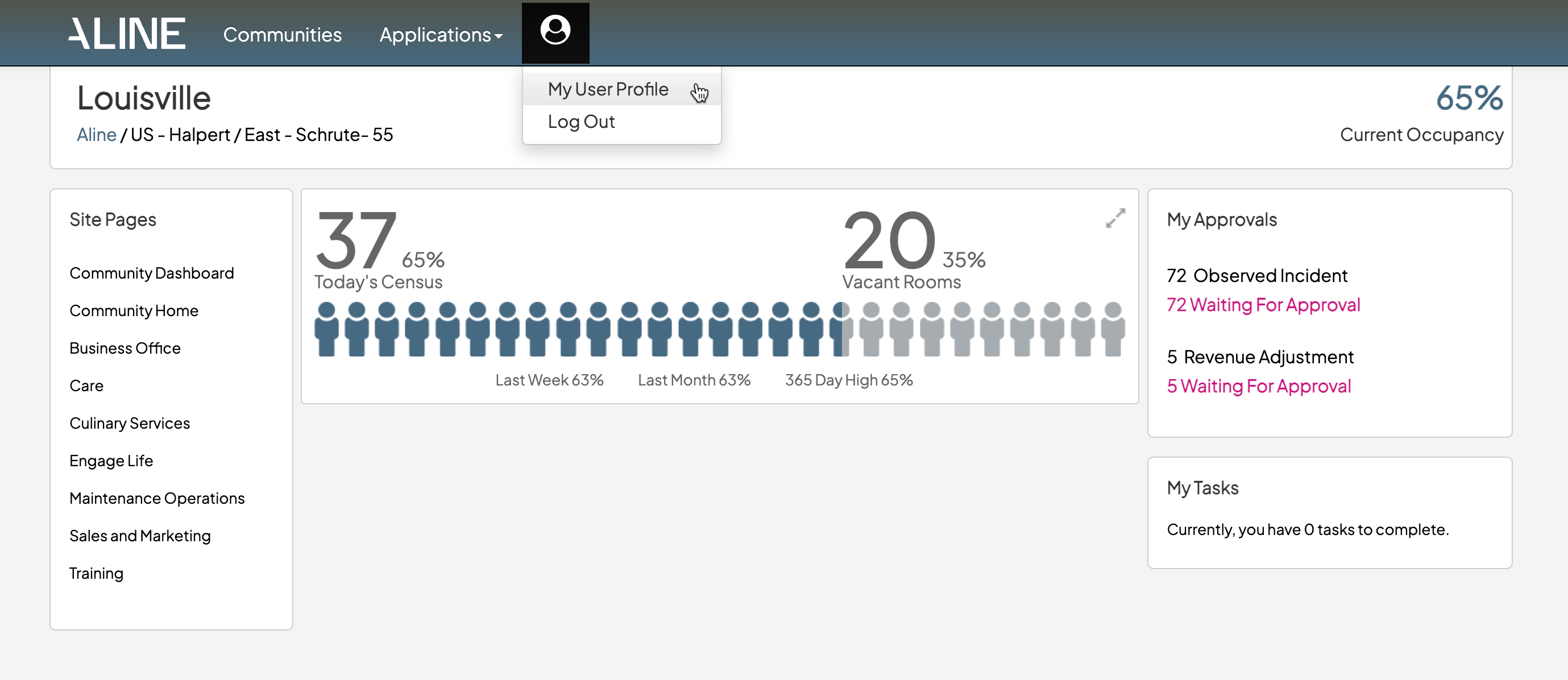
Step 2: Select the silhouette icon and then select "My User Profile".
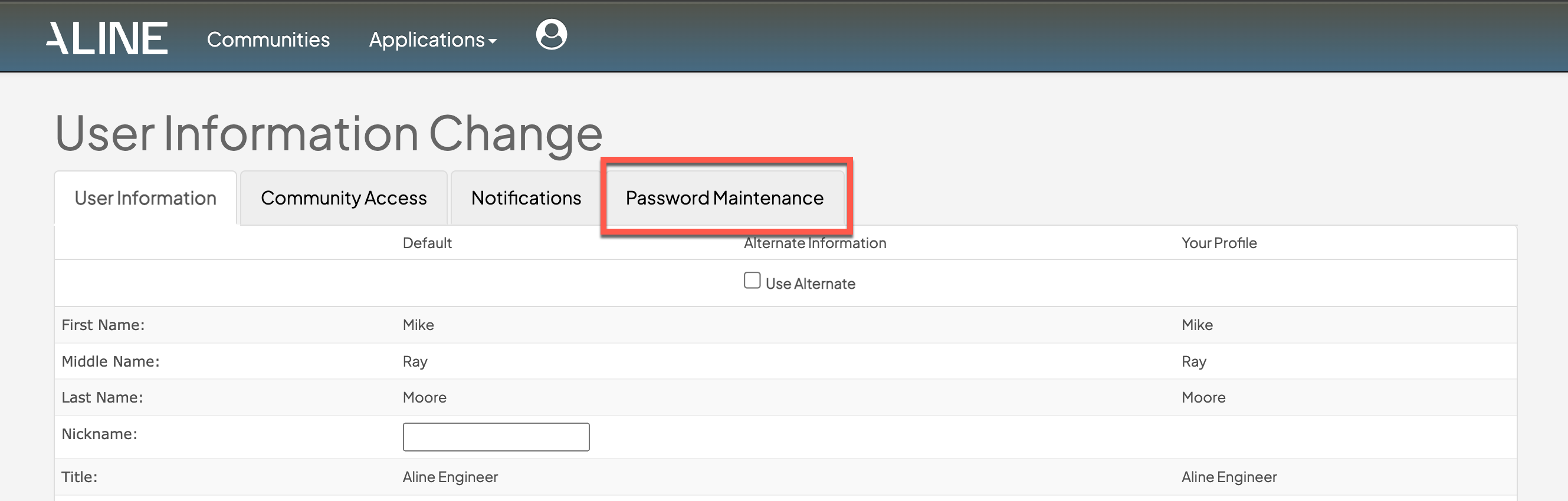
Step 3: Select the Password Maintenance tab.
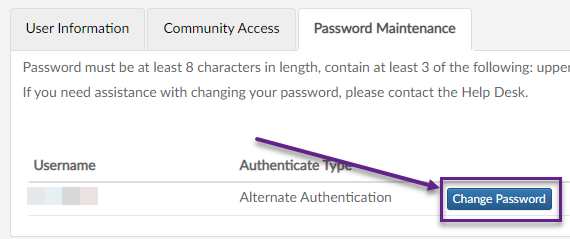
Step 4: Select "Change Password".
Step 5: Input a new password, confirm the new password, and then select "Submit".
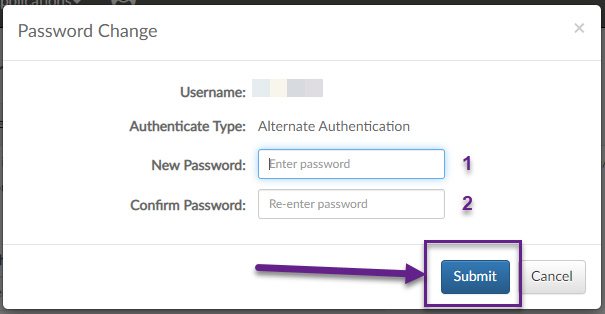
Note: Password must be at least 8 characters in length, contain at least 3 of the following: upper case letter, lower case letter, numbers (0-9) and/or symbols (#*$@!&^).
Was this article helpful?
That’s Great!
Thank you for your feedback
Sorry! We couldn't be helpful
Thank you for your feedback
Feedback sent
We appreciate your effort and will try to fix the article