Overview
In this article, we will review answer management.
Answer Management
Step 1: Select Answer Management and then Answer Collection
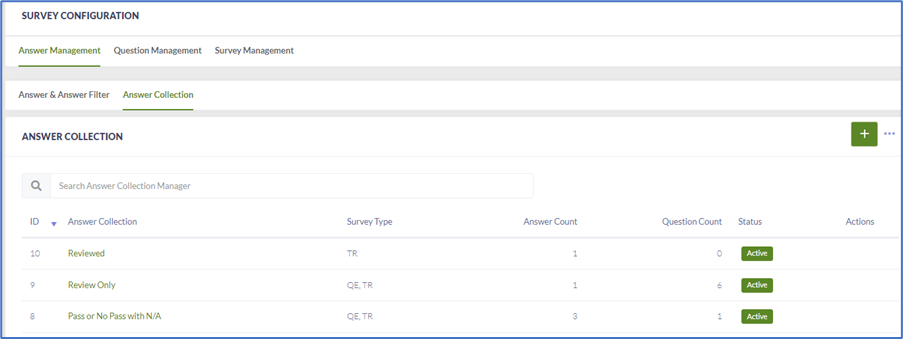
Step 2: A list of answers will populate from bank. Check to see if the answers being used at the for the group/community are on the list.
For Example: Pass/Fail or 1-3 etc.
Step 3: If the answer is on the list select it by clicking on the name to open.
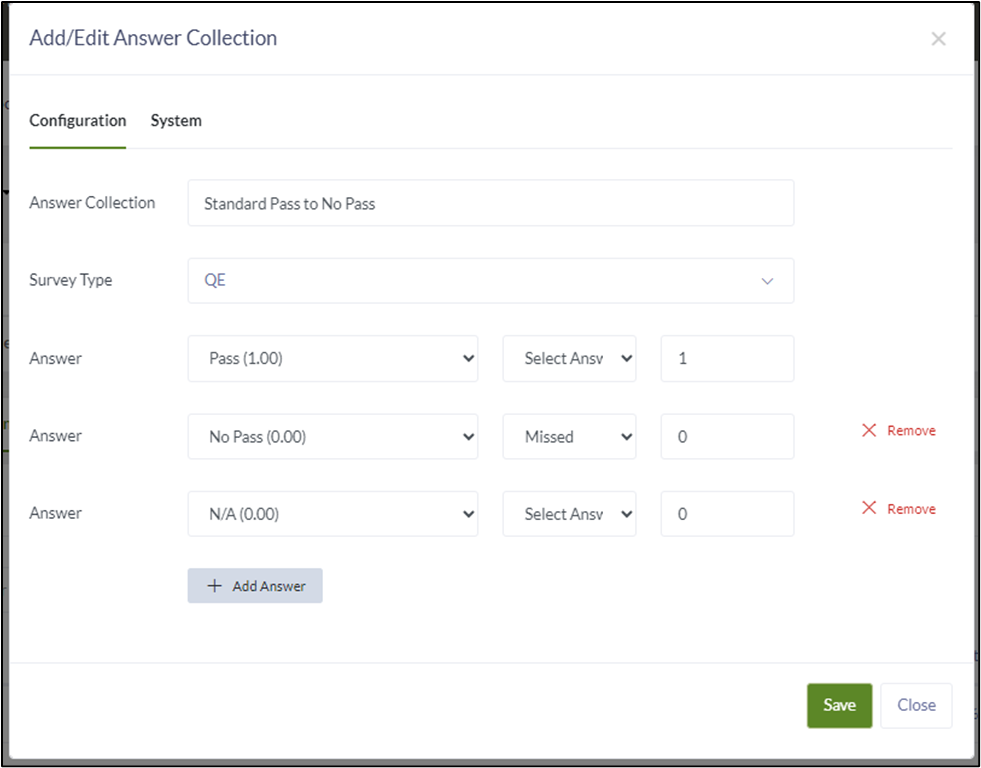
Step 4: Verify the answer collection is configured how the community/group requires. Change as needed and Save.
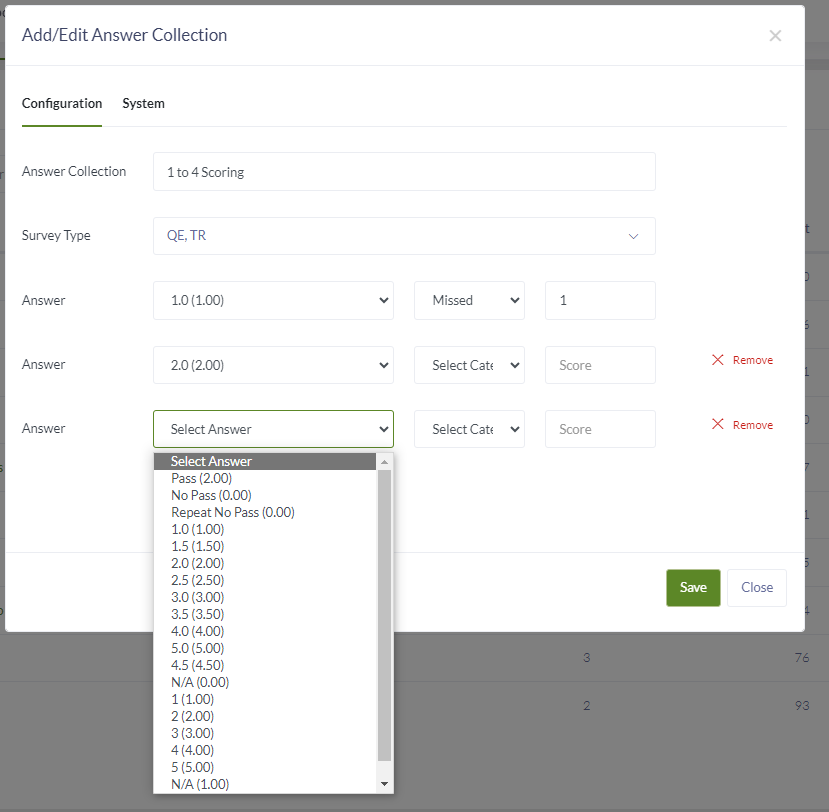
Step 5: If a new answer option is needed, select the + button. Add your scoring answers. Once in, fill the scoring options that are needed. If the needed answer option isn’t listed go back to Answer Management to add.
Step 6: Select the Category to Missed if a PTC is needed.
Note: Select Category = Missed will put the answer to a Plan to Correct when selected on a QE Survey or Trip Report. Leave blank if the answer option doesn’t automatically put the item into the Plan to Correct.
Step 7: Add the score for the answer. The score contributes to the overall score for the community.
Was this article helpful?
That’s Great!
Thank you for your feedback
Sorry! We couldn't be helpful
Thank you for your feedback
Feedback sent
We appreciate your effort and will try to fix the article