Overview
In this article, we will review question management.
Question Management
Step 1: Begin by selecting Question Management and select the + button to add a question.
Note: If you are not sure if the question is in the question bank, use the search field to search for key words in the question. If the question is found, you can use the previously entered question.
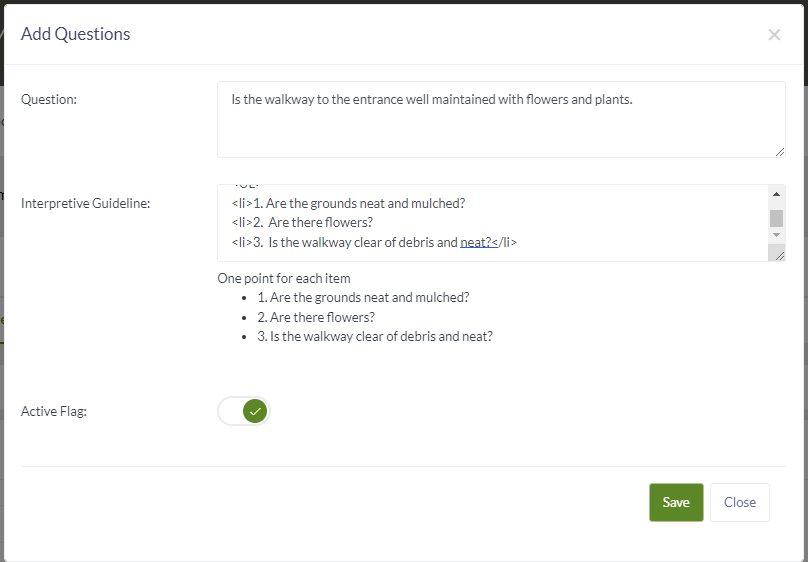
Step 2: Add question and the interpretive guidelines.
Note: If you need items listed use the HTM list featured on the last page.
Step 3: Save
Was this article helpful?
That’s Great!
Thank you for your feedback
Sorry! We couldn't be helpful
Thank you for your feedback
Feedback sent
We appreciate your effort and will try to fix the article