Overview
In this article, we will review building a survey or trip report.
Building the Survey or Trip Report
Step 1: Select Survey Management and the + button to add the details for the new Survey or Trip report that is being built.
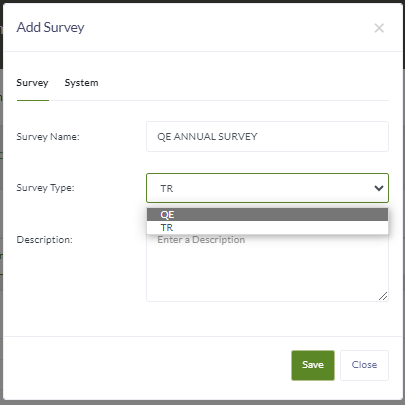
Step 2: Enter the Name of the Survey or Trip Report. Adding the year to the name is suggested
Step 3: Select QE for routine surveys or Trip Report for specific areas (maintenance, resident care etc.), unscheduled and/or quality inspections performed throughout the year.
Step 4: Enter the description of the review.
Step 5: Select Save
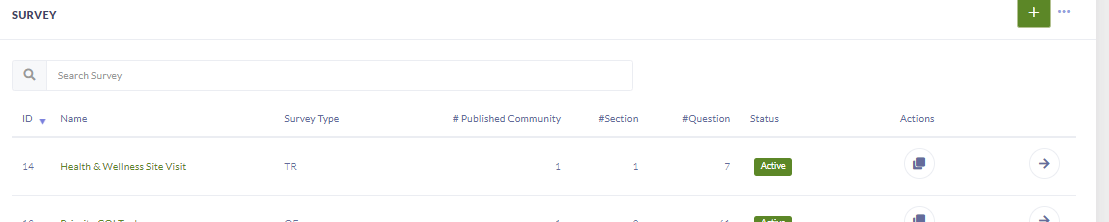
Step 6: Select the arrow to get into the review to begin building.
Was this article helpful?
That’s Great!
Thank you for your feedback
Sorry! We couldn't be helpful
Thank you for your feedback
Feedback sent
We appreciate your effort and will try to fix the article